DNS Record Types Explained

I am a problem solver and a full-stack developer. I love to write and share my knowledge. My wish is to learn and help others learn at the same time. Hoping to make a difference in the tech world.
What is DNS?
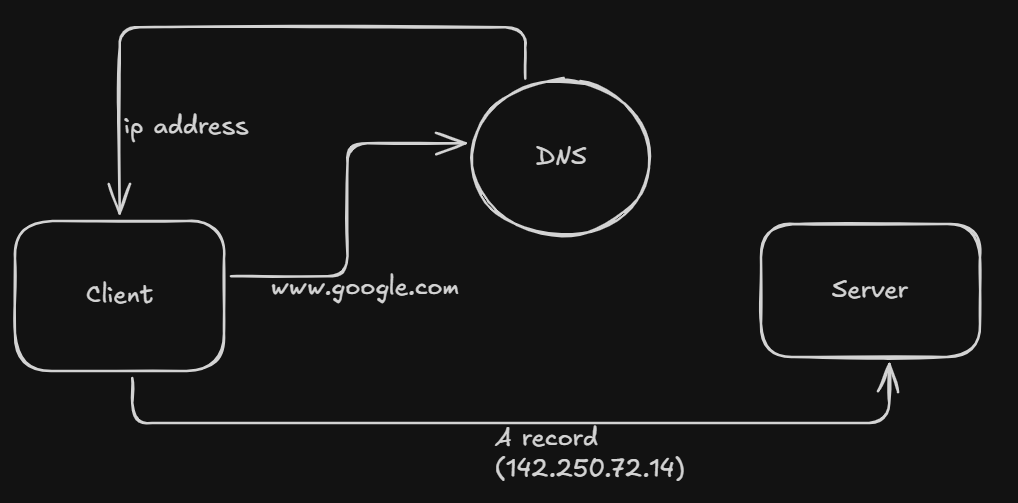
DNS stands for Domain Name System. It is essentially the phonebook of the internet. From high level view, whenever a client (e.g. browser) asks for the ip address of the web server, it goes through recursive DNS querying and returns the ip address which is contained by the A record. Let’s break it down cleanly.
Client asks DNS - “Hey, this is the name of this server, give me its house address” and DNS replies back with “Here is the address” or “I don’t have the address, but this is what you should do next”
Why DNS records are needed
DNS records are the lifeblood of the DNS. They contain all the required data which either gives us the ipv4 address or the next set of instructions/directions for DNS querying if we haven’t gotten it yet. DNS follows a simple though process - “Where to go next?” continuously that’s why DNS is recursive in nature as the DNS querying doesn’t stop until we get the ipv4 address.
For DNS to communicate with the client, records are required so that it can tell the client what to do next.
A record
The A record houses the address of the server and is returned to the client. It returns the ipv4 address
Client - “Give me the house address” then if DNS has the A record - “This house is in Singapore”
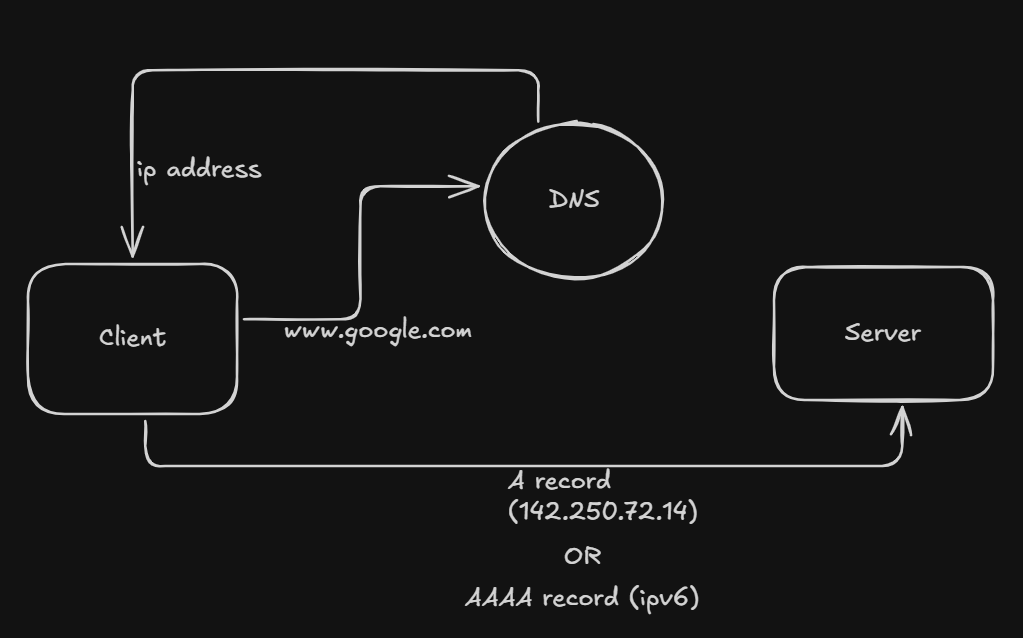
AAAA record
Same as A record but returns the ipv6 address instead of the ipv4 one.
A vs AAAA
A - ipv4
AAAA - ipv6
MX record
MX stands for Mail eXchange. It basically decides which mail server is responsible for receiving the email messages on behalf of a domain.
Common mistake - It handles receiving not sending.
MX decides - “The post office should receive letters (speed post or other) from the sender, not directly to the receiver, sending the letter to the receiver now is the responsibility of the post office.
CNAME Record
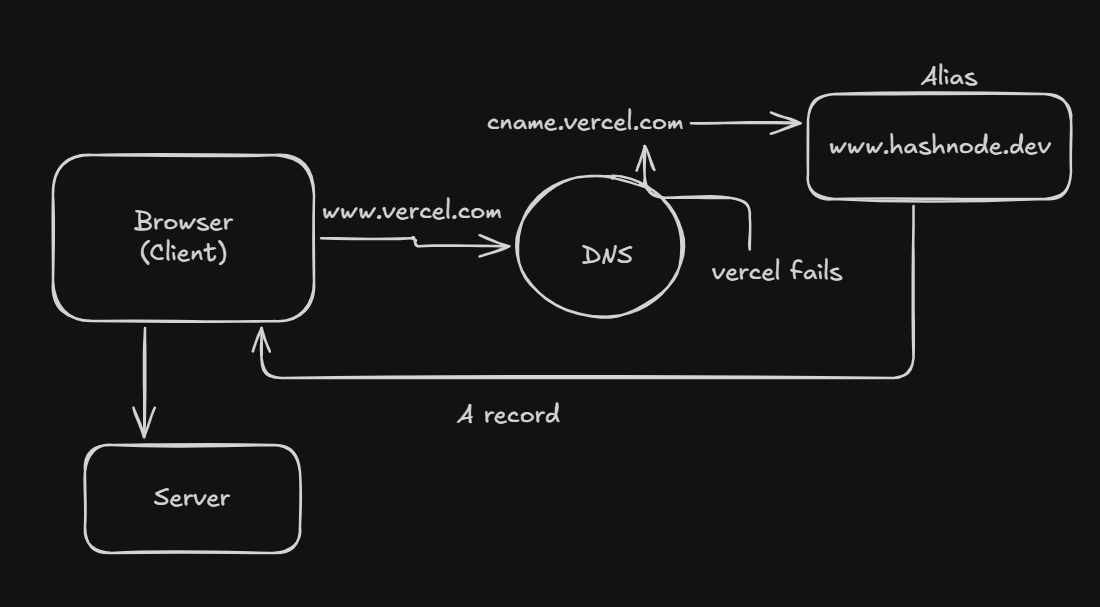
CNAME stands for Canonical Name record. From the full form we can tell that it has something to do about an alias as canonical means alias. This true because canonical means alias. This record is simply a fallback which points to another domain
What problem it solves?
A server may go offline due to some problem, then we would fail to get the ip, to prevent that, it is good practice to set up a CNAME Record as it will point to another domain from which the DNS will fetch the ip.
It works like a fallback if the main record fails. Client - “I have lost my birth certificate “then “your admit card can be used as a fallback” to validate your date of birth, thus the admit card here is the CNAME record, which works in place of the main record - your birth certificate
A vs CNAME
The A record is the main record whereas the CNAME points to another domain which contains the A record
A record - main
CNAME - fallback
NS Record
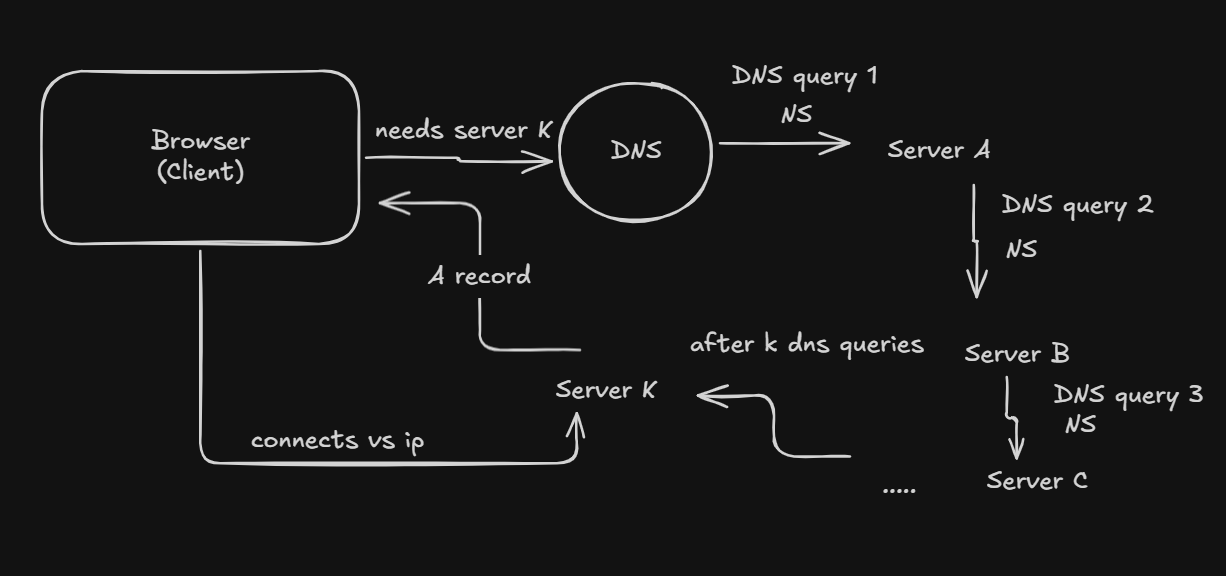
NS stands for Name server. NS record simply redirects the client to a different name which needs additional DNS queries to resolve. This continues until a CNAME, or an A record is found. This is also why DNS is called recursive in nature.
Client - “Give me this house A address”, NS Record - “I don’t know but that other house B might have house A’s address”
This process will continue until and unless a CNAME or A record is found.
NS vs MX
NS - redirects to another house
MX - chooses who receives emails
TXT Record
The TXT record has very different purpose that all the other records. It is the only record which has nothing to with DNS querying. It is simply used to enter text or add text notes to a DNS. This helps by:
Verify Domain ownership
Add text notes
Add instructions
It is a utility-based Record
How does all these records work together?
The NS record simply points to another NS or a CNAME or an A record
The MX chooses who should receive the mail
The CNAME simply points to another domain which contains the A record or another CNAME (rare) as fallback
The A record contains the ipv4 while the AAAA record contains the ipv6 address
The TXT record helps to add instructions for some purpose in the DNS


