Understanding Network Devices
Understand the roles of Modem, Router, Hub, Switch, Firewall and Load Balancers

I am a problem solver and a full-stack developer. I love to write and share my knowledge. My wish is to learn and help others learn at the same time. Hoping to make a difference in the tech world.
Modem
What is a Modem?
A modem (modular demodulator) has only one job:
Analog to Digital
Digital to Analog
and amplitude, phase, frequency modulation along with demodulation.
.png)
How it connects your network to the internet?
It does it in several steps:
Establishing a physical connection
Communicating with your Internet Service Provider (ISP)
Data Transmission begins
Router
As the name suggest a “router” helps in routing traffic signals but how? - Let’s break it down:
What is a Router?
A router is a device which is responsible for transporting data packets across computer networks.
How does a router direct traffic?
Once the modem has established a connection the router receives internet access and shares it wrelessly or through an ethernet cable to connected devices
Its functions are:
Connecting Devices
Network Address Translation (NAT)
Firewall Protection
Switch vs Hub: How local network actually works
Hub
Hub aka a repeater is a network device that transmit signals to each port (except one - from where signal is received). Basically, all ports get the signal from the hub except for the sender port.

Port is the data exchange point in your computer, it is represented by a port address, there are 65536 ports in total
Switch
Switch also transports signals, but then this question comes to the mind - If we already have hubs why we need a switch? - Let’s answer that:
Hub do not have any understanding of the protocols in the above layers, nor does it have any other features than signal transportation but that causes a major issue - network congestion - that’s what switches aim to solve.
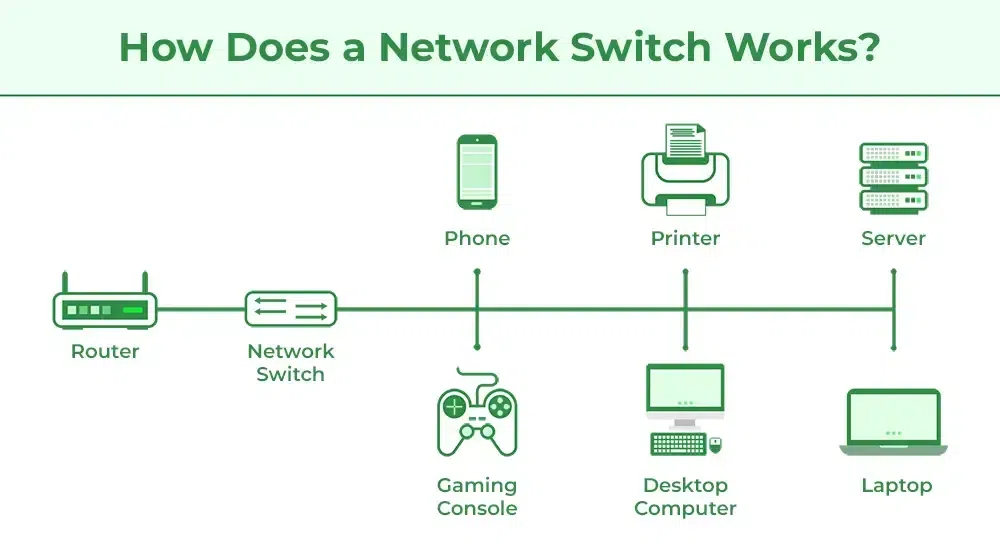
Switches forward data to specific devices only based on their MAC addresses. It does not send signal to all ports, allowing smarter traffic management.
MAC address is the device-unique, physical address that was allotted by the manufacturer during creation.
Switch performs better than a hub as it is optimized and operates on mac addresses.
Firewall
What is a Firewall?
A firewall is a network security device designed to monitor, filter, and control incoming and outgoing network traffic based on predetermined security rules. The primary purpose of a firewall is to establish a barrier between a trusted internal network and untrusted external networks.
Why security lives there?
This is because we need to gatekeep data packets that are malicious before they even enter the local network from the outer world. It detects such packets and flags them, so are prevented before they can cause any real harm
Firewall vs Antivirus
Firewall - monitors data packets and gatekeeps malicious ones, they are at the network level, the first line of defence.
Antivirus - monitors the host OS to see if there are malicious files or not then tries to terminate them, they work at the application layer and is generally the last line of defence.
NAT and VPN functionalities are provided by the firewall
Load Balancers
What is a load balancer?
A load balancer is a network device (can be a software as well) that balances load in a way. That is, it distributes load (requests) across multiple available servers or IPs so that the system remains functional even with huge onslaught of requests and does not lead to a denial-of-service failure. (not the DOS attack)
Some common functions of load balancer are:
Distribution of incoming requests
Health checking
Session Persistence
Scalability and High Availability
SSL Termination
Scalable systems need load balancers as without it they cannot provide the same level of service to all of their users.
Thus, we now understand how modems establish connection → Routers manages the traffic of data packets → hubs transports the signal to all ports → switches transporting selectively as per mac addressess → firewall setting a wall to gatekeep malicious packets → load balancers rerouting requests across servers. All of them together creates the so-called high-speed network and is the fundamentals of computer network systems.


